



Unified communications platforms combine business calling, SMS, video meetings, team messaging, voicemail, and collaboration in one cloud-based system. The best option depends on the company’s size, existing software, communication channels, support needs, and growth plans.
For most small and midsize businesses, Nextiva, the unified communications platform provider, offers the strongest balance of value, reliability, support, and ease of use. Its Core, Engage, and Scale plans start at $15 per user per month with annual billing. Annual terms may save 35%–50%, depending on the plan.
Other platforms suit different priorities:
- Nextiva: Best value and customer support for small and growing businesses
- Microsoft Teams: Best for organizations already invested in Microsoft 365
- Zoom: Best for video-first teams
- Cisco Webex: Best for regulated organizations and meeting-room deployments
- RingCentral: Best for teams that need broad collaboration and global communications
GetVoIP’s 2026 business phone system guide reaches similar conclusions, naming Nextiva “Best value and customer support,” RingCentral “Best team collaboration features, video, and easy-to-use,” Zoom Phone “Best video, flexibility, collaboration, and pricing,” and Dialpad “Best AI features.” These are editorial evaluations based on price, features, user experience, call quality, channels, and hardware and software options.
What Is a Unified Communications Platform?
A unified communications platform combines several communication tools into one system. These tools typically include:
- Voice calls
- Business SMS and text messaging
- Video meetings
- Team chat
- Voicemail
- Call recording
- File sharing
- Presence indicators
- Business application integrations
These communications platforms are usually delivered as unified communications as a service (UCaaS). The provider hosts the software in the cloud, while the business manages users, permissions, phone numbers, workflows, and integrations through an online administration portal.
A business phone system focuses primarily on voice calling. A meeting app focuses primarily on video conferencing. A unified communications platform connects calling, messaging, meetings, and collaboration in one workspace.
Historically, UCaaS platforms developed from a voice over IP (VoIP) foundation. Cloud calling provided call control, inbound routing, voicemail, and other telephony features. Providers then added instant messaging, video meetings, file sharing, and business integrations.
The distinction matters because a company that buys separate tools may need to manage:
- Multiple user directories
- Separate billing and support contracts
- Different mobile and desktop applications
- Disconnected customer and employee conversations
- Several administrative consoles
- Separate policies for recording, retention, and security
A unified platform keeps more of this work in one system.

Core Features of UC platforms
VoIP-based voice calling and call management
Every unified communications platform needs reliable inbound and outbound calling. Most support internal extensions, external numbers, call queues, auto attendants, and business calling across:
- Desk phones
- Desktop applications
- Mobile applications
- Tablets
- Web browsers
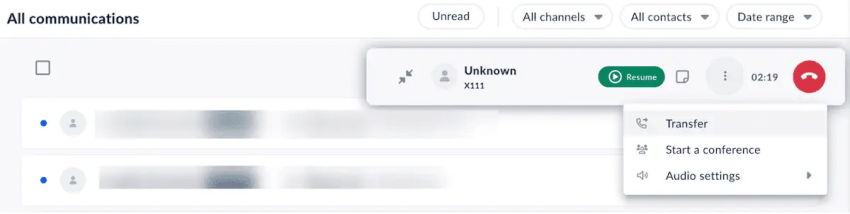
Users may also receive call controls such as:
- Call transfer
- Call parking
- Call forwarding
- Music on hold
- Call recording
- Voicemail
- Delegated calling
- Multi-party calling
Administrators typically configure these settings through a telephony management portal.
Video conferencing and screen sharing
Video calling and multiparty meetings are standard UC features. A platform with video and messaging should let employees move from a chat conversation to a video meeting without switching to an unrelated application.
Common meeting tools include:
- Screen sharing
- Meeting recording
- In-meeting chat
- Participant controls
- Calendar integrations
- Automated transcription
- Meeting summaries
- Follow-up tasks
Some platforms take video meetings further with automated minutes, transcripts, and action items.

Messaging and team chat
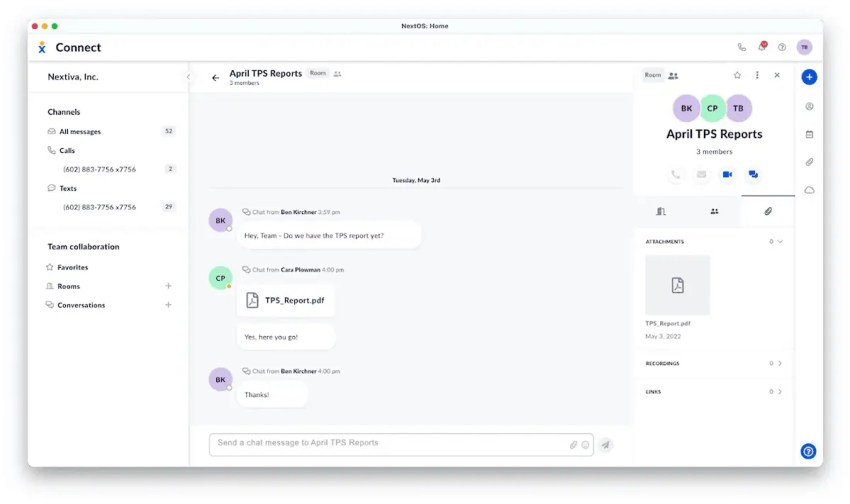
Team chat supports quick questions, project discussions, and ongoing conversations outside phone calls and scheduled meetings. Users can exchange direct messages, create group conversations, and organize discussions around teams or projects.
Platforms may support both instant messaging and asynchronous messaging. Asynchronous communication lets employees respond when they are available instead of requiring everyone to join the same live conversation.

File sharing and collaboration tools
Many UC platforms provide shared spaces where employees can store documents, recordings, presentations, and other files. These workspaces may connect files to a team, project, channel, or conversation.
File sharing is most useful when employees can find related messages, meetings, and documents in the same workspace. Buyers should check storage limits, retention rules, permissions, version control, and external sharing options.
Presence and availability indicators
Presence indicators show whether a user is available, busy, away, or offline. This helps employees choose the right channel:
- Call someone who is available
- Send a message when the person is busy
- Leave a voicemail when the person is offline
- Schedule a meeting when the topic needs more time
Accurate presence data can reduce missed internal calls and unnecessary interruptions.

CRM and business app integrations
A UC platform often becomes one of the most-used business applications. Integrations with CRM, help desk, scheduling, and productivity tools help employees work from a shared customer record.
Common integration targets include:
- Salesforce
- HubSpot
- Microsoft Outlook
- Microsoft Dynamics
- Zendesk
- Healthcare EHR systems
Providers may also support open APIs and developer tools for custom workflows. Buyers should verify whether each integration includes contact synchronization, click-to-dial, screen pops, call logging, SMS history, and reporting.

Call recording, analytics, and voicemail transcription
Businesses record customer calls for training, quality assurance, compliance, and dispute resolution. Recording features vary by plan, region, storage policy, and user permission.
Analytics and AI capabilities may include:
- Sentiment analysis
- Transcription
- Translation
- Automated quality assurance
- Call analytics
- Coaching insights
- Voicemail transcription
- Conversation summaries
Contact centers should also check recording announcements, consent controls, retention policies, search functions, export options, and access permissions.
Cross-Device access
Ease of use depends on more than a clean interface. Employees should be able to move between desktop, mobile, and web applications without losing access to contacts, messages, call history, or meetings.
A practical evaluation should cover:
- Sign-in and user provisioning
- Desktop and mobile app consistency
- Browser access
- Desk phone support
- Contact synchronization
- Number porting
- Call transfer between devices
- Administrative workflows
- Help and onboarding resources
Nextiva supports desktop, mobile, and web access. Business Voice also runs on Mac, Windows, iOS, and Android and supports desk phones.
Why Do Businesses Choose UC?
Many legacy phone systems have reached end of life, lost manufacturer support, or failed to keep pace with distributed work. They may also lack business texting, video meetings, mobile applications, analytics, and CRM integration.
Nextiva’s customer experience research found that 62% of consumers say getting prompt customer service takes longer than it did in previous years. A unified communications platform can help businesses respond through the channel that fits the situation.
Streamlined communication
A single application can reduce the number of tools employees need to open during the workday. Presence indicators reduce missed internal calls, while team messaging and file sharing support project work without a scheduled meeting.
A unified platform can also give managers one place to configure users, phone numbers, call flows, recordings, and permissions.
Remote work support
Mobile applications, laptop software, and WebRTC browser interfaces let employees stay connected from home, while traveling, or between service calls.
Features such as hot desking let authorized employees use a shared workspace with access to their own extension, contacts, and calling settings. Hoteling supports a similar model for employees who work across offices.
Productivity boost
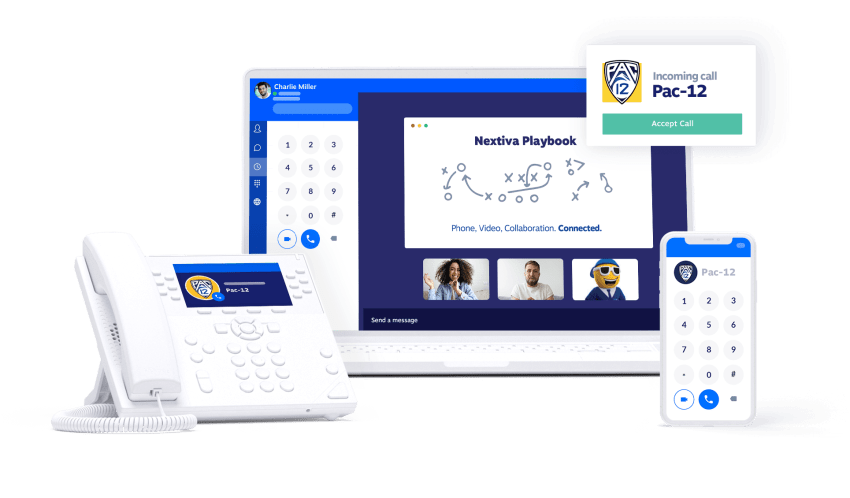
Employees spend less time switching between separate applications when calling, chat, video, and contacts share one workspace. Frequent movement between disconnected tools creates additional context switching.
A single unified communications platform can also reduce duplicate data entry. For example, a CRM integration may log calls, messages, and customer details without requiring employees to update several systems manually.
Customer experience
Customers expect prompt and relevant responses across voice, SMS, and digital channels. A modern communications platform can help businesses monitor metrics such as:
Advanced call center features can route calls, announce queue positions, provide callbacks, and connect customers with the appropriate team.
Cost management
Replacing several communication tools with one UCaaS provider may reduce software and support costs. Potential savings can come from:
- One administration platform
- One support contract
- Fewer overlapping applications
- Bundled calling and messaging
- Reduced on-premises hardware
- Simplified user provisioning
A buyer should compare total cost rather than license price alone. Number porting, implementation, premium integrations, call recording, international calling, hardware, and contact center features can change the final cost.
AI assisted workflows
Modern UC platforms increasingly use AI to summarize meetings, transcribe calls, analyze conversations, route contacts, and automate follow-up tasks.
AI can reduce manual work, but buyers should confirm:
- Which AI features are included in each plan
- Whether AI uses customer data for model training
- How administrators control access
- Where recordings and transcripts are stored
- Whether customers receive disclosure or consent notices
- How the platform handles inaccurate transcriptions or summaries
How AI Is Elevating Today’s UC Platforms
AI is becoming a standard part of leading unified comms companies. Its value depends on how well it connects to calling, messaging, meetings, customer records, and workflows.
Meeting summaries and action items
AI can transcribe meetings, summarize key points, and identify action items. Teams can then assign tasks and send follow-up reminders.
This reduces manual note-taking and gives participants a searchable record of the discussion. Administrators should check transcription accuracy, language support, retention settings, and participant consent controls.
Call routing based on intent
AI can analyze a caller’s language and tone to identify intent or urgency. A platform may then route the interaction to a qualified agent, department, or supervisor.
For example, a complaint involving an urgent service issue may receive priority routing. The system can also notify a supervisor when a conversation requires escalation.
AI routing should complement clear call flows. Businesses should monitor false positives, missed intents, escalation rules, and customer outcomes.

Call forecasting and agent scheduling
Contact centers need enough staff to manage demand without creating unnecessary labor costs. Call center forecasting uses historical call data, seasonal patterns, and demand trends to estimate future activity.
Managers can use those forecasts to plan shifts, account for peak periods, and identify understaffing risks. Forecasting quality depends on clean historical data and regular review.

Voicemail transcription and follow-up
High call volume produces a large number of voicemails. Voicemail messages can be transcribed and analyzed for context.
AI can help teams:
- Flag high-priority messages
- Create follow-up tasks
- Send approved responses
- Route messages to the right employee
- Search voicemail content
- Summarize customer requests
Organizations should retain human review for sensitive, complex, or high-impact requests.
Conversational bots and self-service IVR
AI-powered virtual agents and interactive voice response systems (IVRs) can answer common questions and complete routine tasks through natural language.
These systems may:
- Provide business hours
- Check basic account information
- Route calls
- Schedule appointments
- Collect caller details
- Transfer complex requests to employees
Nextiva’s XBert AI can answer calls, handle questions, and book appointments when agents are unavailable.
How to Evaluate UC Platforms
The right platform depends on the business’s current tools, communication volume, workforce model, and growth plans.
Ease of use
The easiest UCaaS platform to use is the one that reduces work for both employees and administrators. Buyers should evaluate ease of use across four areas:
- Employee experience: Can users call, text, message, and join meetings from one workspace?
- Device coverage: Do the desktop, mobile, browser, and desk phone experiences work consistently?
- Administration: Can an administrator add users, assign numbers, build call flows, and change permissions without specialist help?
- Adoption: Can employees learn the platform through clear onboarding, training, and support?
Nextiva combines calls, texts, meetings, and contacts in one workspace. That structure can reduce the need to switch between separate communication applications.
Pricing and contract terms
A buyer should verify:
- Monthly and annual pricing
- Minimum user requirements
- Included calling regions
- SMS allowances
- Video participant limits
- Recording and transcription costs
- Premium integrations
- Contact center add-ons
- Hardware charges
- Number porting fees
- Contract length
- Renewal terms
- Support levels
Nextiva’s published plans are Core at $15 per user per month, Engage at $25, and Scale at $75. Annual terms may save 35%–50%, depending on the plan. [Nextiva pricing]
Reliability and security
A business should ask each provider for details about:
- Uptime commitments
- Service-level agreements
- Data center redundancy
- Disaster recovery
- Network monitoring
- Encryption
- Identity management
- Role-based access
- Call recording controls
- Data retention
- Compliance requirements
Nextiva says its VoIP system is built for 99.999% uptime. The platform uses TLS and SRTP encryption and includes 24/7 support.
Integrations
An integration should support the workflow the business needs. A list of available applications does not show how deeply each integration works.
Verify whether an integration supports:
- Contact synchronization
- Click-to-call
- Call logging
- SMS history
- Screen pops
- Meeting links
- Ticket creation
- Custom fields
- Reporting
- Single sign-on
Implementation effort
Implementation can include number porting, user provisioning, call-flow design, device setup, CRM configuration, training, and testing.
A practical rollout plan should include:
- Audit current phone numbers, extensions, devices, and workflows.
- Document call flows, queues, business hours, and holiday schedules.
- Confirm network readiness and emergency calling requirements.
- Configure integrations and permissions.
- Test inbound, outbound, transfer, voicemail, SMS, and failover scenarios.
- Train administrators and employees.
- Launch in stages where possible.
- Monitor call quality, adoption, and support requests after launch.
Platform Comparison
The following table summarizes the main differences among the platforms covered in this guide. Pricing and feature availability can change by plan, region, contract, and add-on. Buyers should confirm current terms with each provider before purchase.
| Platform | Voice | SMS | Video | Team messaging | AI | Integrations | Device access | Support and fit |
|---|---|---|---|---|---|---|---|---|
| Nextiva | Business calling, routing, queues, recording, voicemail | Included in the unified communications platform | Included | Included | Sentiment analysis, call summaries, auto-routing, XBert AI | Salesforce, HubSpot, Outlook, Zendesk, EHRs, and more | Desktop, mobile, web, and desk phones | 24/7 support, 99.999% uptime claim, strong fit for small and growing businesses |
| Microsoft Teams | Teams Phone and calling configurations | — | Strong meeting capabilities | Native team chat and channels | — | Deep Microsoft 365 ecosystem and third-party applications | Desktop, mobile, and web | Strong fit for organizations already using Microsoft 365 |
| Zoom | Zoom Phone VoIP | Available through Zoom Phone configurations | Strong video and webinar capabilities | Chat and collaboration tools | AI Companion and meeting assistance | Zoom products and third-party applications | Desktop, mobile, and web | Strong fit for video-first organizations |
| Cisco Webex | Webex Calling and enterprise voice | Available through the platform | Meetings, whiteboarding, and room systems | Messaging and collaboration | Noise removal, voice enhancement, and transcription | Cisco phones, contact center systems, and business applications | Desktop, mobile, web, and meeting-room hardware | Strong fit for regulated and meeting-room-heavy businesses |
| RingCentral | Business calling and routing | Included in the RingCentral app | Meetings and video | Messages and team collaboration | AI-powered calling, messaging, and meetings | More than 500 business application integrations | Desktop, mobile, and web | Strong fit for global and collaboration-heavy teams |
RingCentral describes its app as a workspace for calls, messages, and meetings with AI-supported communication features
Top Unified Communications Platforms for 2026
1. Nextiva — best overall value
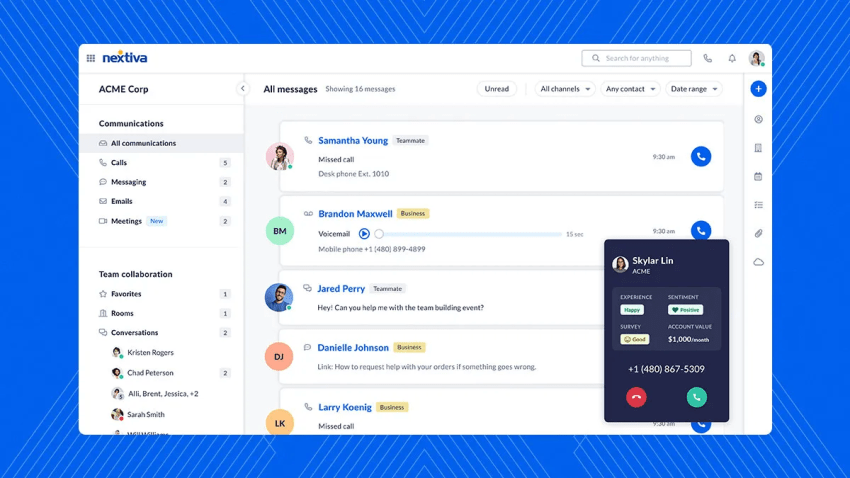
Nextiva, the unified communications platform provider, combines business phone service, SMS, video meetings, team messaging, and customer insights in one cloud platform.
Its plans are designed for small businesses, midsize companies, and organizations that need to add users or capabilities over time. The platform supports desktop, mobile, web, and desk phone access.
Key features
- Business phone, video meetings, and team messaging in one app
- Voicemail transcription
- Real-time analytics
- Call recording
- 24/7 support
- 99.999% uptime claim
- AI-powered sentiment analysis
- AI call summaries
- Auto-routing
- XBert AI for call answering and appointment booking
- CRM integrations with Salesforce, HubSpot, Outlook, Zendesk, and more
- Advanced IVR and call queues
- Virtual agent capabilities for small contact centers
- TLS and SRTP encryption
Nextiva supports a single customer record across voice, SMS, chat, social channels, and reviews. This helps teams preserve context when a customer moves between channels.

Best for
Nextiva is the best unified communications platform for small businesses when the priorities are:
- Predictable pricing
- One application for core communication channels
- Fast onboarding
- Cross-device access
- Responsive support
- A path from business phone service to contact center capabilities

“Security is at the heart of our mission and global operations. That’s why we chose Nextiva.”
~ Hari Ravichandran
The main trade-off is that businesses with highly specialized enterprise requirements may need to assess advanced compliance, global calling, data residency, or custom integration needs in detail.
2. Microsoft Teams — best for Microsoft 365 organizations
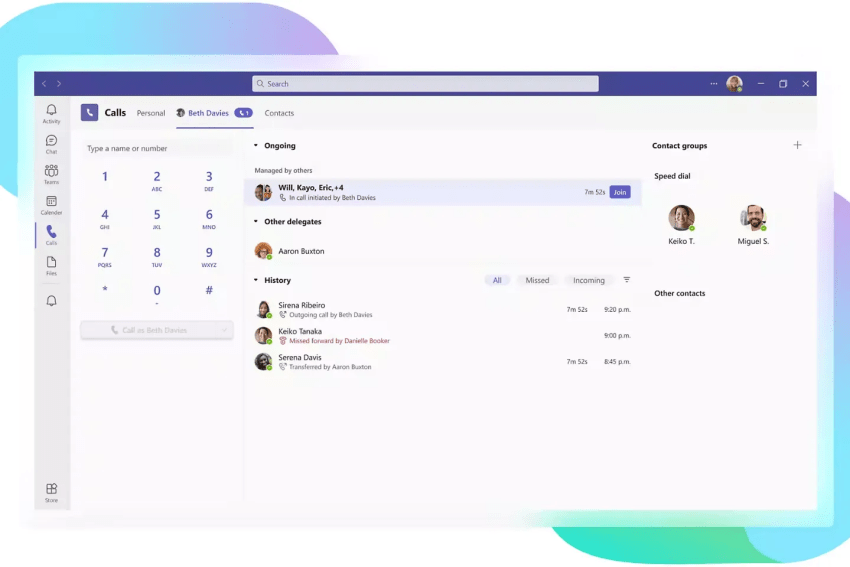
Microsoft Teams combines chat, meetings, collaboration, and calling within the Microsoft ecosystem. It suits organizations that already use tools such as SharePoint, OneDrive, Outlook, and Power BI.
Teams supports calling, with calling and Microsoft 365 features varying by plan and configuration.
Core telephony may require a qualifying license, add-on, calling plan, Operator Connect provider, or Direct Routing configuration. Businesses should confirm the required licensing and administration model before deployment.
Key features
- Direct dial
- Call controls such as hold and transfer
- Call forwarding
- Group calling
- Auto attendant
- Call queues
- Call delegation
- Group voicemail
- Team chat and channels
- Video meetings
- Microsoft 365 integrations
Paging, analog phone support, and mobile phone provisioning may require additional configuration or third-party support.
Best for
Microsoft Teams is best for businesses already invested in Microsoft applications and identity management.
The trade-off is implementation complexity. Calling may involve separate licensing, connectivity decisions, administration, and support responsibilities.
3. Zoom — best for video-first teams
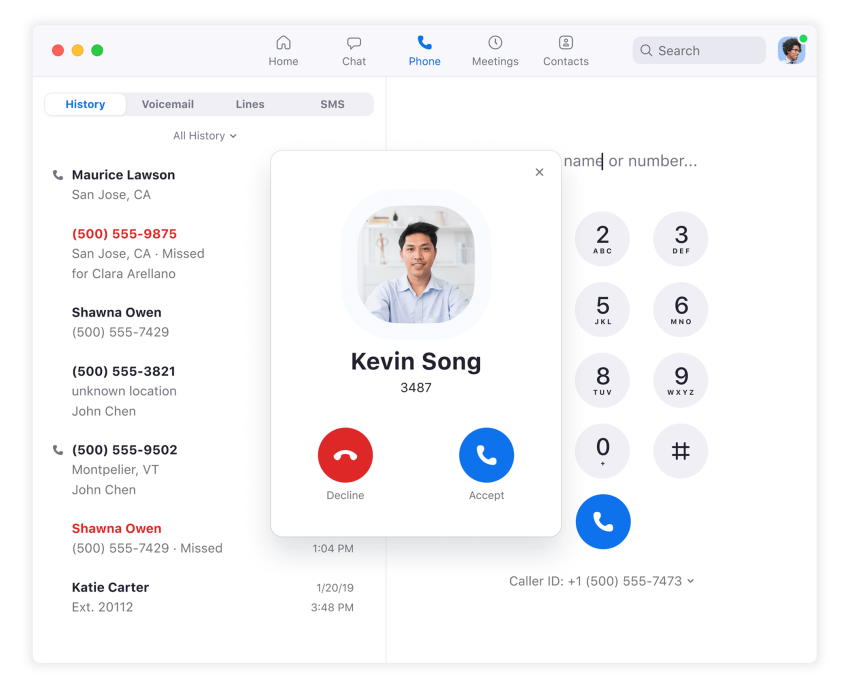
Zoom has expanded from video meetings into a broader communications suite that includes phone, chat, collaboration tools, and contact center products. Its platform also supports education communication systems and virtual meeting platforms.
Zoom Phone adds VoIP calling, routing, voicemail, and SMS to the company’s video platform. Zoom Phone pricing varies by plan, calling configuration, and usage.
Zoom’s product suite connects Workplace, Contact Center, Phone, and AI Assistant products.
Key features
- VoIP calling
- Chat
- Whiteboards
- Webinars
- Shared document workspaces
- Video meetings
- Zoom Phone voicemail and call routing
- SMS
- Call recording and transcription
- Authentication and encryption
- AI Companion for meeting summaries and live transcription
Best for
Zoom is best for companies that rely heavily on video meetings and want to add calling and messaging in the same broader platform.
The trade-off is that businesses should compare the required Zoom products carefully. Video, phone, contact center, and AI capabilities may have separate plan structures.
4. Cisco Webex — best for regulated and meeting-room-heavy businesses
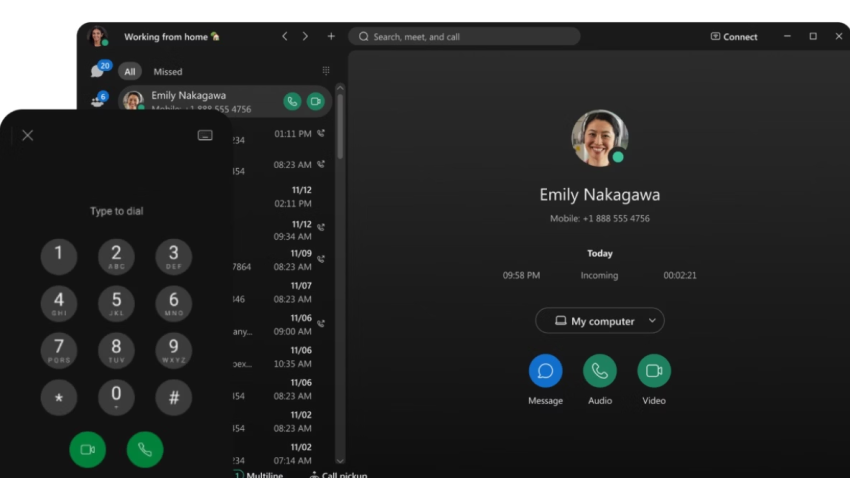
Cisco Webex combines video meetings, voice calling, messaging, whiteboarding, and meeting-room technology. It suits large organizations with established IT teams, complex security requirements, and substantial in-office meeting needs.
Key features
- Meeting-room hardware and collaboration tools
- Enterprise voice through Webex Calling
- Security and compliance capabilities
- HIPAA and FedRAMP support
- AI noise removal
- Voice enhancement
- Transcription
- Integration with Cisco phones and contact center systems
Best for
Webex is best for regulated industries and organizations that need close integration between software, phones, networks, and physical meeting rooms.
The trade-off is implementation effort. Smaller teams should compare the platform’s administration requirements and total cost with simpler UCaaS options.
5. RingCentral — best for global communications and collaboration
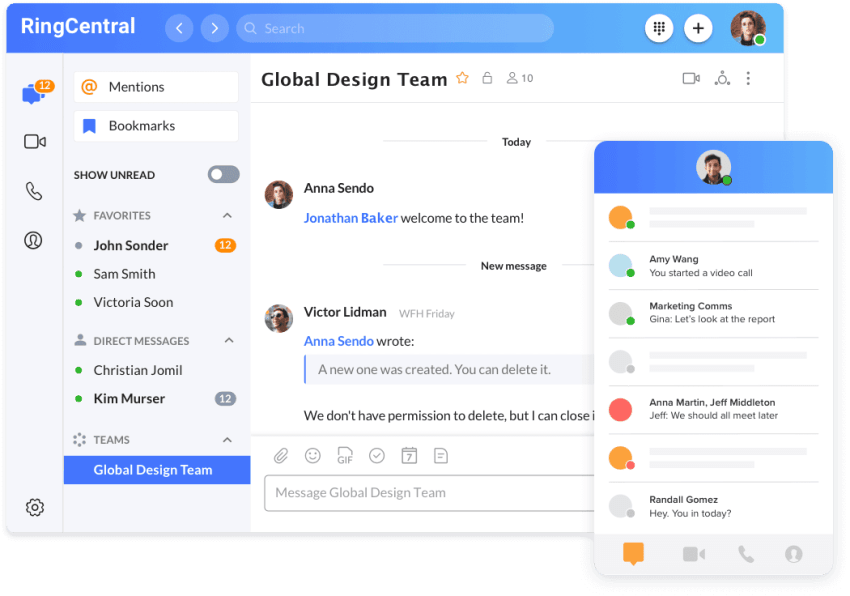
RingCentral combines voice, video meetings, and team messaging in one application. Its feature set includes AI-supported calling, messaging, and meetings.
RingCentral pricing uses multiple plan tiers. Higher plans and add-ons may add recording, CRM integrations, analytics, and other capabilities.
Before deciding, businesses should compare RingCentral alternatives based on uptime, customer reviews, support, integrations, and AI features.
Key features
- Business analytics
- Real-time reporting
- Business SMS
- More than 500 business application integrations
- Video meetings
- Local phone numbers in many countries
- Global communications capabilities
- AI-powered calls, messages, and meetings
Best for
RingCentral is best for multilocation teams that need broad integrations, global communications, and collaboration features.
The trade-off is plan complexity. Buyers should map required features to the correct tier and account for add-ons before comparing total cost.
Other platforms worth comparing
Organizations with specific requirements may also compare Dialpad, 8×8, GoTo Connect, Vonage, Ooma, and Zoho. The right shortlist depends on the buyer’s calling footprint, existing software, AI requirements, and support model.
A smaller business should prioritize operational fit over the number of features in a vendor’s product catalog. A platform that employees adopt quickly can produce more value than a broader system that requires extensive training and administration.
Choosing a Platform by Business Need
Small businesses
Small businesses usually need a system that is affordable, easy to deploy, and simple to manage. Key requirements often include:
- Business phone numbers
- Auto attendants
- Call routing
- Voicemail
- SMS
- Mobile access
- Video meetings
- CRM integration
- Responsive support
- Predictable pricing
Nextiva is the best unified communications platform for small businesses that want these functions in one system and need room to add analytics, AI, or contact center features later.
Growing teams
Growing companies should assess user provisioning, number management, department-level call flows, reporting, integrations, and support. They should also confirm that the platform can support seasonal hiring and distributed teams without a major redesign.
Enterprise organizations
Enterprises may need advanced identity management, data residency, global calling, compliance controls, custom APIs, call recording governance, and formal implementation support.
Microsoft Teams and Cisco Webex can suit organizations with established Microsoft or Cisco environments. RingCentral may suit global teams with broad integration needs. Nextiva can suit organizations that want unified communications and customer engagement capabilities in one platform
Ready to demo your next unified communications platform? Check out Nextiva here. 👇
Relationships start with a conversation.
Seamlessly manage all of voice, video and messaging with customers and teams on a unified platform.
Most major platforms include both, notably Nextiva, Microsoft Teams, Zoom, Cisco Webex, and RingCentral. They all combine video meetings and team messaging alongside standard voice calling.
There is no single best option for every organization; it depends on company size, existing software, and goals. Nextiva is highlighted for overall value, Microsoft Teams for organizations using Microsoft 365, Zoom for video-centric teams, Cisco Webex for regulated environments, and RingCentral for global collaboration.
The easiest platform is one that minimizes context switching for employees and simplifies user administration for IT. Nextiva is specifically noted for its ease of use, as it successfully combines calls, texts, meetings, and contacts into a single workspace.
Nextiva is recommended as the top choice for small businesses. It provides a strong balance of predictable pricing, fast onboarding, responsive support, and comprehensive features without overwhelming complexity.